



Zendesk Knowledge Connectors: What You Need to Know
Zendesk Knowledge Connectors let you plug external documentation- Google Drive, SharePoint, Notion, Confluence, and more- directly into Zendesk, so AI agents, Copilot, and Help Center search can all draw on it without custom middleware. The connector list has grown fast, and as of July 2026 it now includes Copilot too.
As we covered in our recent recap of Zendesk Relate, Zendesk's Knowledge Graph is the foundation that lets AI and humans work from the same reliable information. Knowledge Connectors were still "under development" back then. Since that post, the list has expanded quickly.
What sources can you connect to Zendesk right now?
Zendesk currently connects to:
- Google Drive
- SharePoint
- Confluence
- Notion
- Freshdesk
- Document360
- Box
- Guru
- Contentful
- Dropbox
- Amazon S3
- Zendesk (a second account)
Why does connecting external knowledge actually matter?
Most teams working in Zendesk don't own or maintain the documentation their end users and agents rely on. Before Connectors, keeping that outside knowledge in sync with Zendesk meant building and maintaining middleware, with all the error-handling and formatting headaches that come with it.
With Connectors, external sources plug in within a few clicks, and you inherit Zendesk's native, maintained features instead of patching together your own sync layer.

Where do Knowledge Connectors show up inside Zendesk?
It's worth being precise about where this actually helps, since "connected knowledge" isn't one single feature; it surfaces in three places:
| Help Center search results: Quick answers can now pull from connected knowledge to generate replies to end-user queries. | 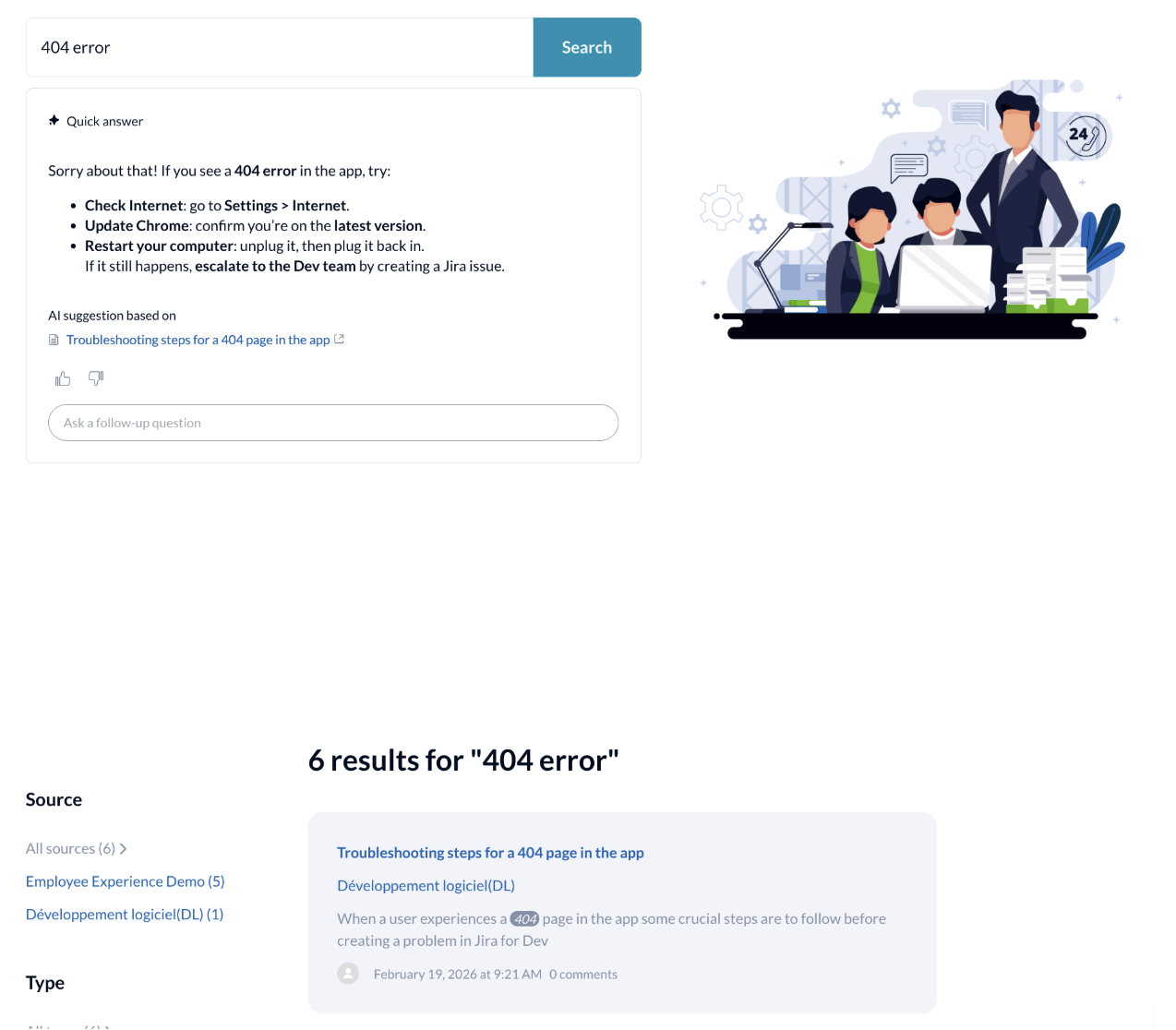
|
| Agent Workspace: The same quick-answer capability is available to agents directly inside the ticket interface. | 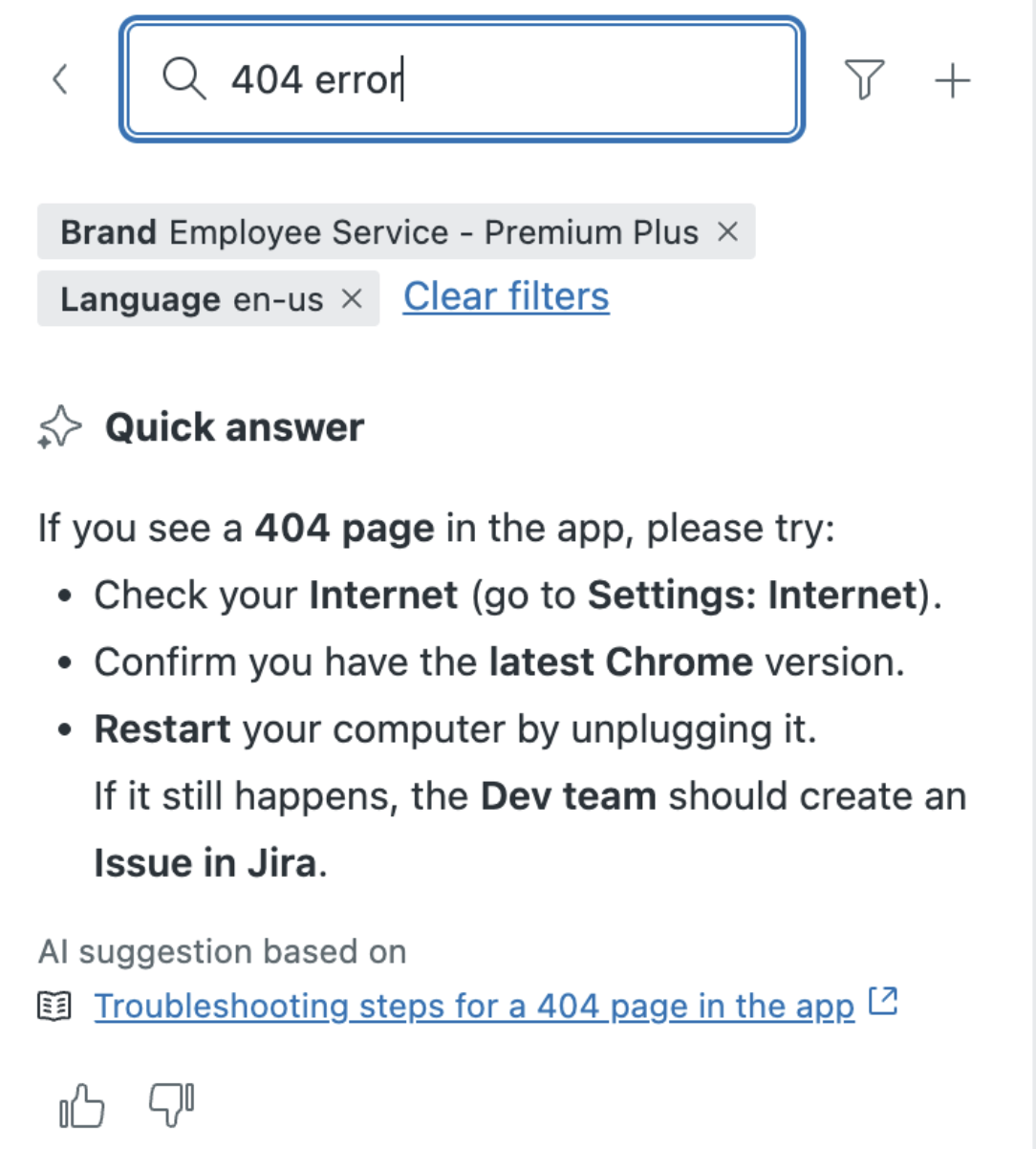
|
| AI Agent responses: AI agents can search across your different connected knowledge sources to generate answers for end users. | 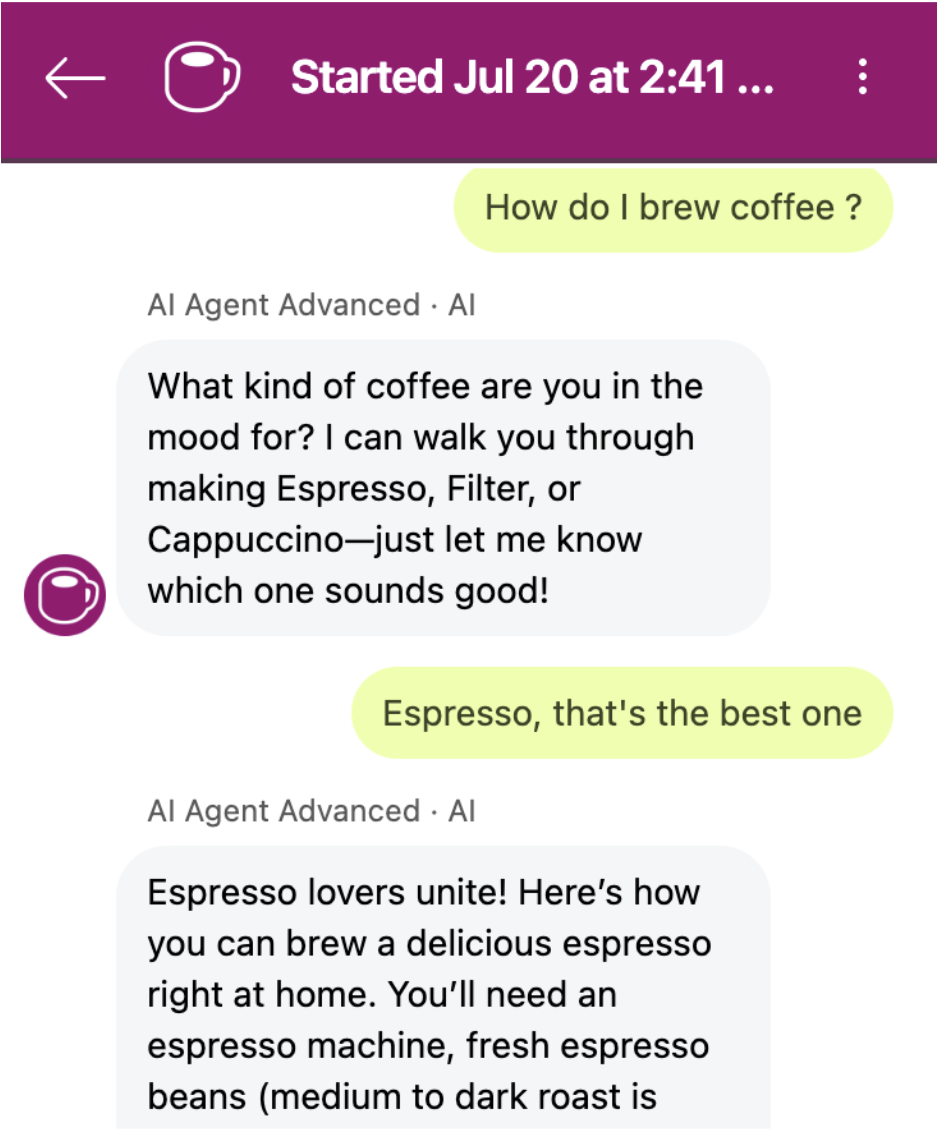
|
What's new: Knowledge Connectors for Copilot
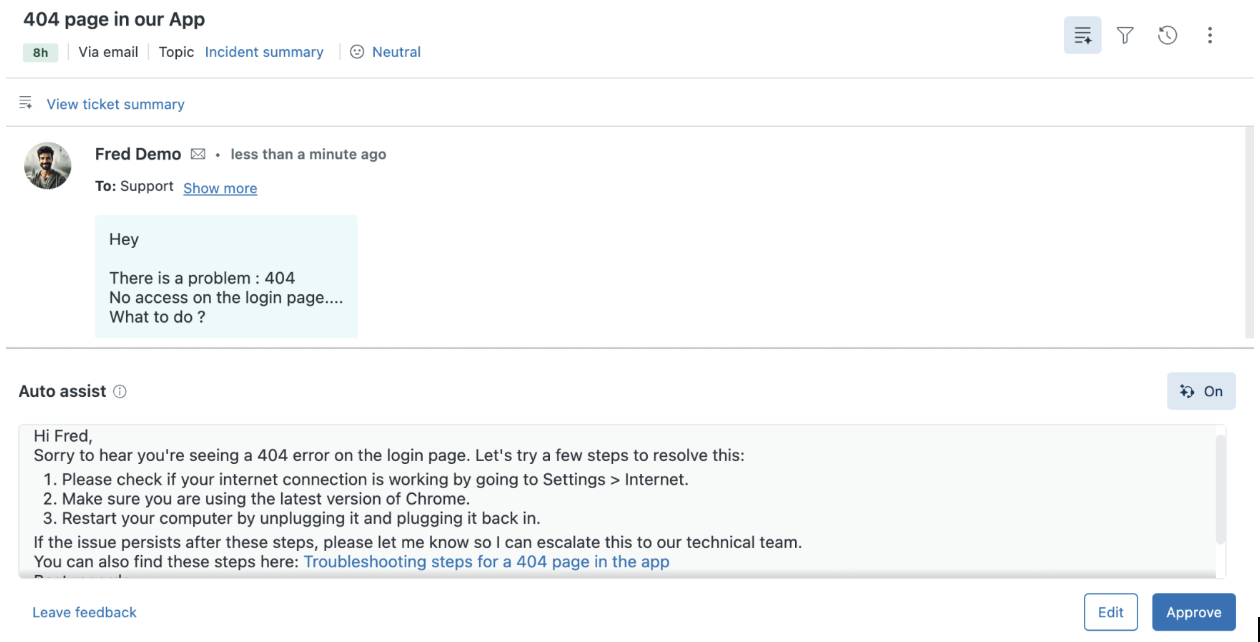
Until recently, Copilot was the one feature that didn't benefit from Connectors, which was a gap. On July 14th, Zendesk announced that Connectors can now be used in Auto Assist, meaning external sources now feed ready-to-use reply suggestions for your agents.
|
That matters because it directly helps:
|
|
In practical terms, that's your team spending less time hunting for the right answer and more time on the problems that actually need a human.
Can Knowledge Connectors handle PDFs?
Not fully, yet, but that's changing! Connectors used to work as "article readers," so knowledge bases full of PDF procedures were out of scope. Only file types like Microsoft Word, Excel, and Markdown were supported by, for example, the Zendesk–SharePoint connector.
Since June 1st, Zendesk has run an Early Access Program to extract and sync PDF content, removing that format restriction.
What should you check before switching Connectors on?
Turning Connectors on isn't a "set and forget" move. Two things are worth getting right first:
Content quality is the foundation. AI needs clear, well-structured content to work as intended. Garbage in, garbage out still applies.
| Segmentation needs to match your audience. Know who should see what, and share knowledge accordingly. Connectors let you reuse the same segments you've already built in Zendesk Knowledge to control access. | 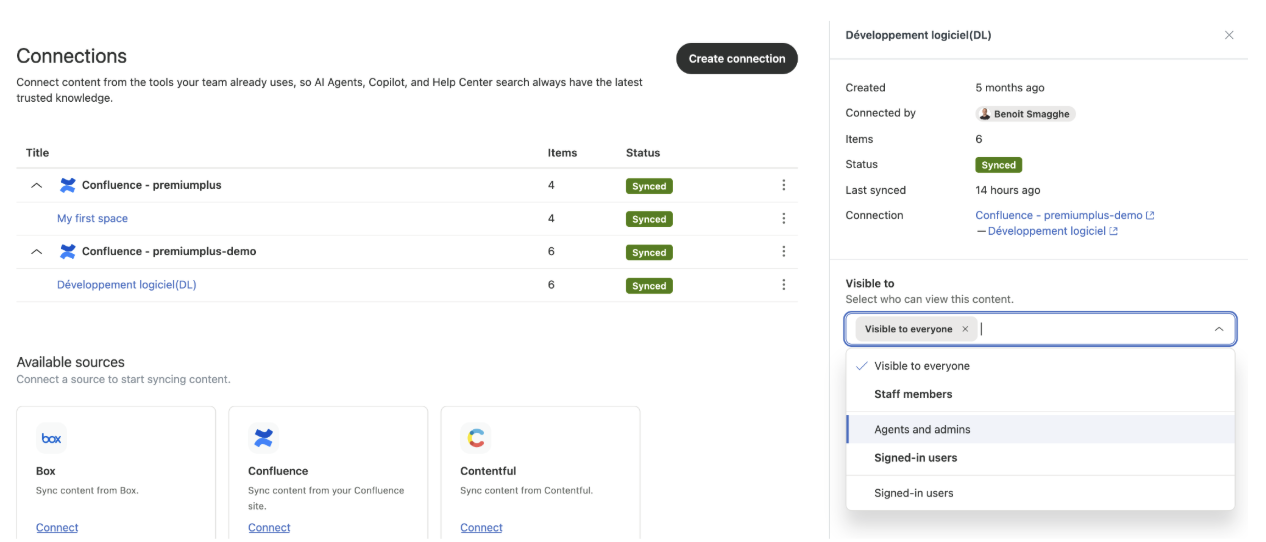
|
One catch worth flagging: for AI Agents specifically, segmentation wasn't originally taken into account, so permissions had to be matched separately in the AI Agent console. That's since been fixed since the beginning of July. An update now lets AI Agents respect viewing permissions according to your User Segments.
The bigger picture
With Connectors, Zendesk is really building toward a Resolution Learning Loop, learning from every interaction and feeding the right content back into every AI-powered feature. The pieces (Help Center search, Agent Workspace, AI Agents, and now Copilot) are converging on the same connected knowledge base.
Content quality and segmentation are what determine whether that loop actually helps you, or just moves the mess faster.